

Bank Wherever Life Takes You
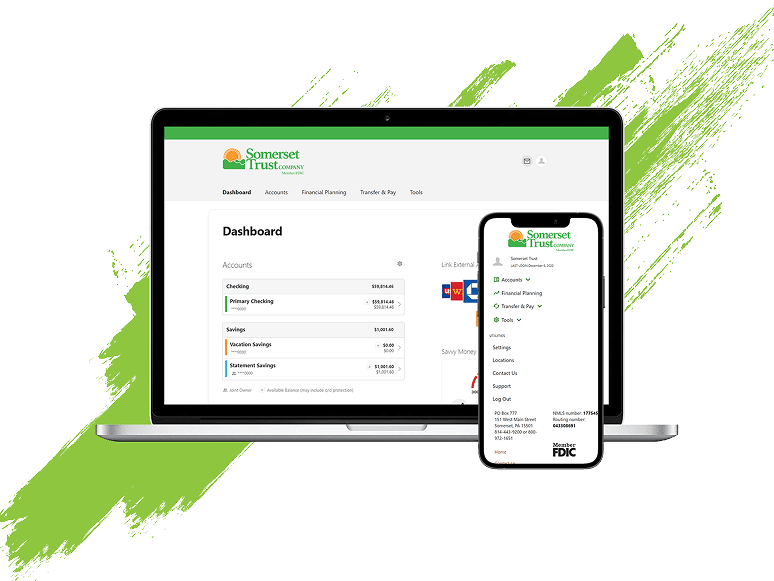
Manage your deposit and loan accounts from your phone, tablet, or computer with digital banking tools designed for everyday life. Check balances, deposit checks, pay bills, transfer funds, manage cards, and stay connected to your money wherever you are.



Mobile Deposit
Deposit checks from almost anywhere using your mobile device, helping you save time and reduce trips to the branch.

Bill Pay
Schedule one-time or recurring payments, manage bills in one place, and stay on top of due dates.

Transfers
Move money between eligible Somerset Trust accounts or linked external accounts whenever you need to.

Linked Accounts
Connect eligible accounts from other financial institutions to make transfers easier and keep more of your finances in view.
eStatements
View, download, and access account statements electronically from your computer or mobile device whenever you need them.

Account Alerts
Receive text or email notifications about account activity, balances, transactions, and other important updates.
Credit Score Monitoring
Monitor your credit score and access educational tools through SavvyMoney® within personal online banking.
Disputes
Report eligible unauthorized transactions and manage the dispute process through online or mobile banking.

More Control Over Your Cards
Your debit and credit cards go wherever you do. Card Management tools help you stay informed, adjust settings, and respond quickly when plans change.
-
Card Controls
Turn eligible cards on or off, manage card settings, and make quick updates when your card is misplaced, found, or your plans change.
-
Card Alerts
Set up card notifications to stay informed about activity, monitor transactions more easily, and know when something may need your attention.
-
Spend Insights
View card activity in one place so you can better understand where your money is going and keep track of everyday spending.
-
Travel Notices
Add travel details before a trip so your card is ready for purchases while you are away from home.
Get Started With Digital Banking
Whether you're checking balances, paying bills, depositing checks, or managing cards, getting started with digital banking only takes a few simple steps.
-
Enroll in Online Banking
Create your online banking access and connect eligible Somerset Trust accounts so you can manage your finances from your computer or mobile device.
Register for Online Banking -
Download the STC Mobile App
Access convenient banking tools including mobile deposit, bill pay, transfers, alerts, and account management from your mobile device.
-
Sign In and Start Banking
Explore available features, customize your preferences, and begin using digital banking in a way that fits your routine.
Bank Online With More Confidence
A few simple habits can help you make the most of online and mobile banking while keeping your account access protected.
Use the Official App or Website
Download the STC Mobile app from a trusted app store or access online banking through Somerset Trust's official website.
Keep Login Details Private
Never share your username, password, verification codes, or account access information.
Set Up Helpful Alerts
Use account and card alerts to stay informed about activity and identify transactions that may need attention.

Review Activity Regularly
Review account activity regularly and contact Somerset Trust promptly if you notice unfamiliar transactions or suspicious activity.

Online & Mobile Banking FAQs
Digital banking should make managing your money simpler, not more complicated. These answers can help you get started, use key features, and find support when you need it.
Use the login help options in online or mobile banking to reset your access, or contact Somerset Trust for support if you need help getting back into your account.
Some checks may not be eligible for mobile deposit, and deposit limits or review steps may apply. If you’re unsure, contact Somerset Trust before submitting your deposit.
Log in to online or mobile banking and look for alert settings for your eligible accounts or cards. From there, you can choose the alerts and delivery options available to you.
Review the transaction details first, then contact Somerset Trust as soon as possible if it still does not look familiar. You may also be able to start a dispute through online or mobile banking for eligible transactions.
News, Updates, and Community Stories






Download the STC Mobile App
Download the app to start banking on the go!